Hold fn. Say your reply.
“Thursday works for me. I’ll send my notes before our call.”

The free dictation app for Mac.
Speak your emails and notes, and Saypad types them in any app.
Free · Offline · No account
Apple Silicon · macOS 15+ · 187 MB
Click into your email, message or note. Hold fn, speak, then release.
“Thursday works for me. I’ll send my notes before our call.”
Your words go into the field you selected, with punctuation.

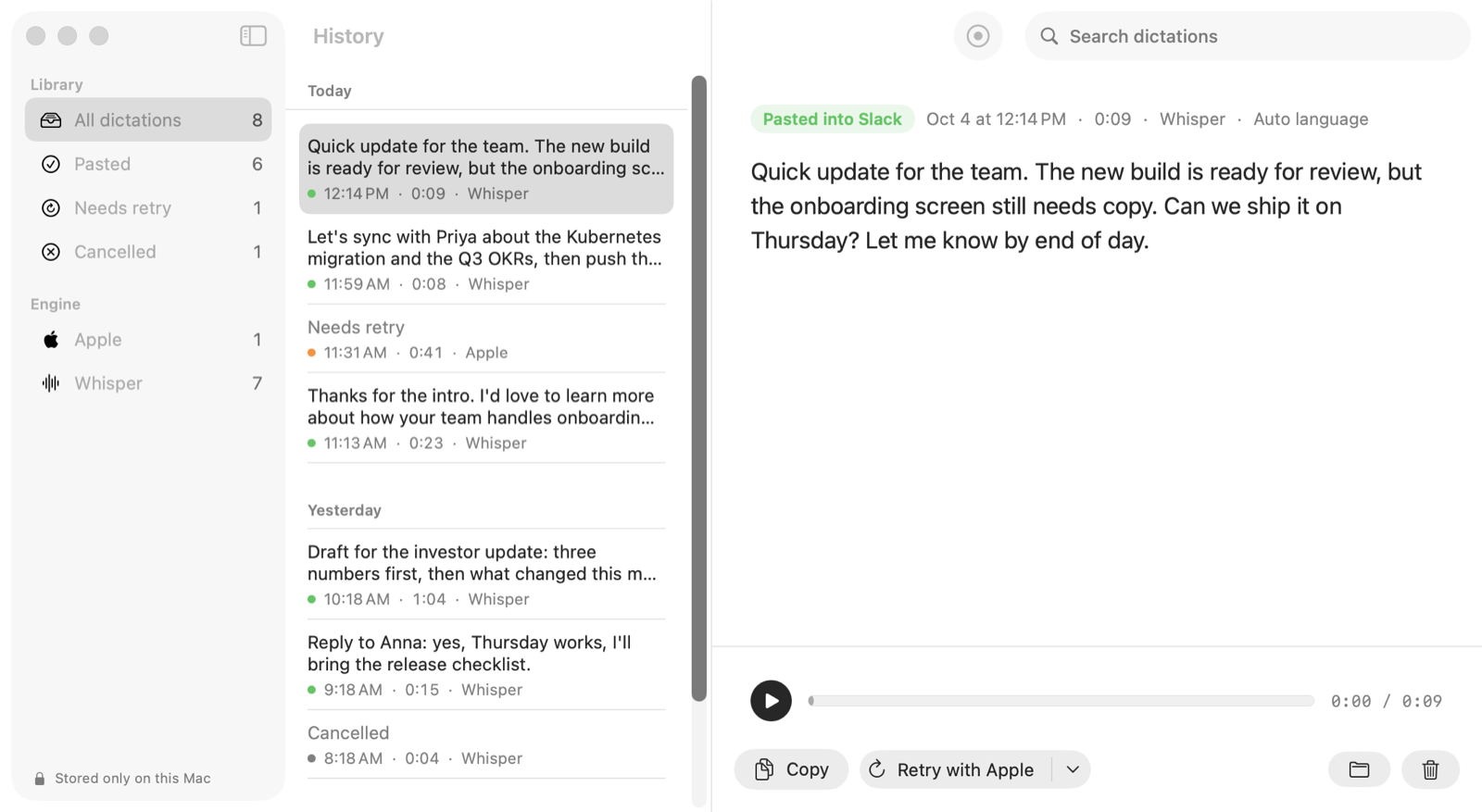
The text and original audio stay in your history, ready to copy or try again.
What happens to my recording? →Illustrated workflow with app screenshots and an example phrase. Prefer hands-free? Double-tap fn. You can also choose right ⌘ in Settings.
AboutPunctuation and capitals are added automatically. Your message isn’t rewritten or given a different tone.
Search past dictations, listen to the audio and copy the text again. Retry recognition without repeating yourself.
Saypad reports the paste status. If the text doesn’t land, it stays in history for you to copy.
Saypad processes speech on your Mac. It doesn’t send your recordings or transcripts to a server.
The network is used for model downloads, update checks and optional anonymous usage counts. You can turn those counts off in Settings.
Read the privacy details → CompareHow Saypad compares with the dictation built into your Mac and two popular apps.
| On your Mac | Saypad$0$0 in year one6 of 6 |
Apple Dictation $0built in$0 in year one3 of 6 | Wispr Flow $15/mo$180 in year one1 of 6 | Superwhisper $8.49/mo$102 in year one4 of 6 |
|---|---|---|---|---|
| Works offline | ✓ | ✓ | ✕ | ✓ |
| Works right after install | ✓ | ✓built in | ✕account first | ✕model download |
| Your own words list | ✓ | ✕ | ✓ | ✓ |
| History with audio, re-run | ✓ | ✕ | ~text history | ✓ |
| Speech models to choose from | 18local Whisper | 1Apple’s own | 0cloud only | 15local |
| Rewrites your words | No | No | Yes | AI modes |
Best in row Apple’s dictation is free and fine for the odd sentence; Saypad adds your own words and a history with audio. Rewriting isn’t scored. Year one = monthly plans.
Checked 17 Oct 2026 · USD, before tax. Sources: Wispr pricing, Wispr app guide, Superwhisper, its vocabulary; setup checked by installing each app, 7–8 Oct 2026.
Yes. Everything runs on your Mac, so there are no server costs to pass on and no reason to count your words.
No. Whisper adds punctuation and capital letters, but the words are yours. Saypad types what you said.
The text stays in your history and the recording pill shows "In history · ⌘V". Copy it with one click. The audio is saved too, so you can run it again.
Whisper detects the language on its own and recognizes many languages; English is the one we've tested most. With Apple speech on macOS 26 you pick the language in Settings.
Any Mac with Apple Silicon (M1 or newer) on macOS 15 Sequoia or later. On macOS 26 you also get Apple's on-device speech engine as a second option.
Yes. Saypad is signed with an Apple Developer ID and notarized by Apple, so it opens like any other Mac app. Open the downloaded file, drag Saypad to Applications, and it will ask for microphone and Accessibility access on first launch.
They are two builds of the same app, with the same recognition engines and dictation features. Saypad has the everyday presentation; FnFlow has the developer presentation. Choose one – you don’t need both.
No. Whisper and a light model come inside the app, so it works right after install. The larger model (874 MB) downloads in the background on Wi-Fi; you can pause it or start it yourself in Settings → Recognition.
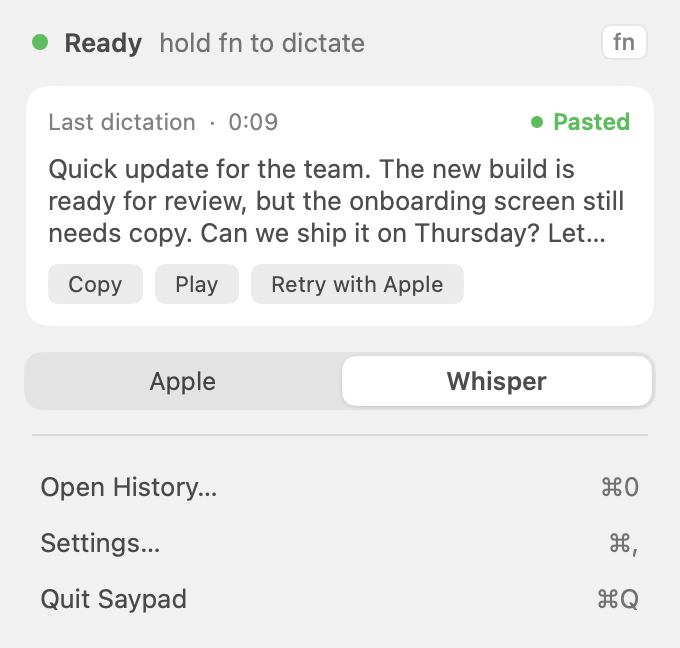
Copy it again, play it back, or pick a model for the next one, without opening a window.
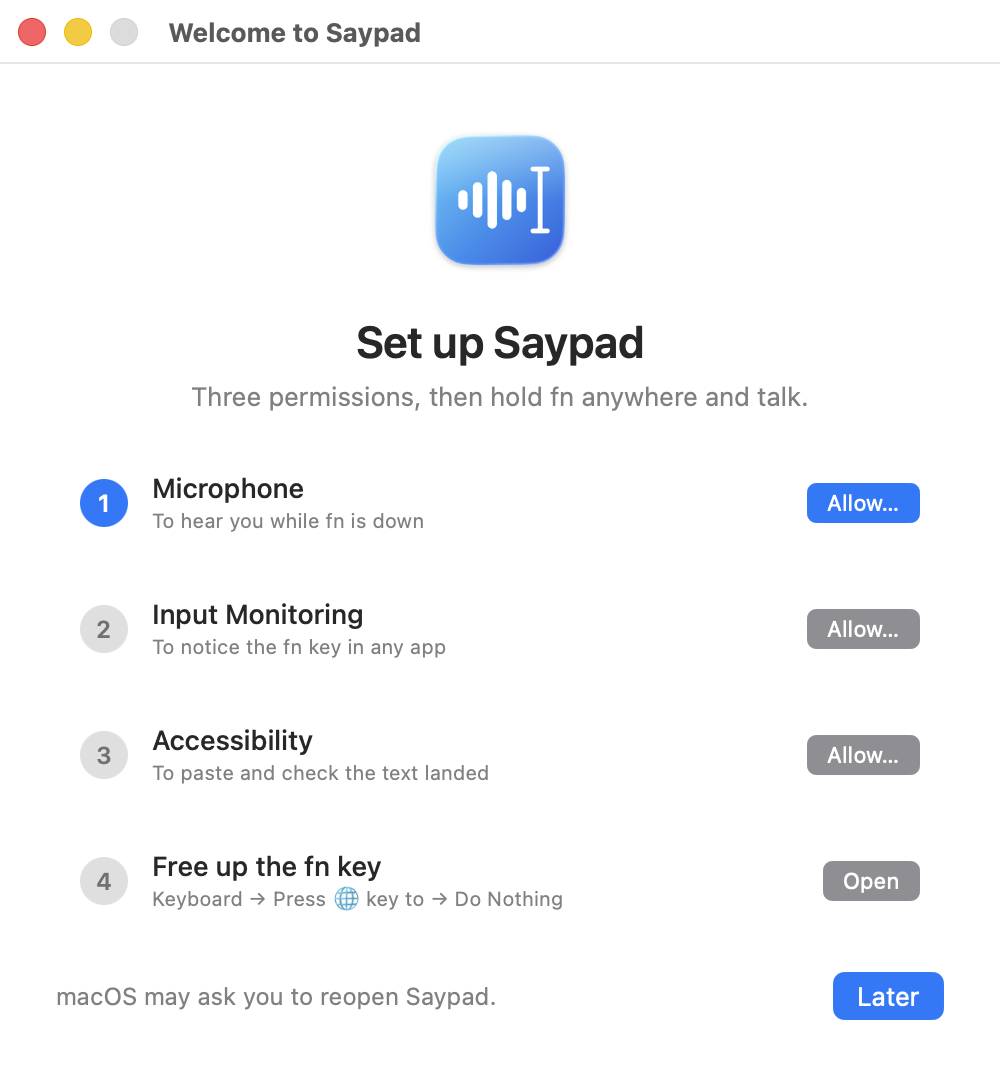
Two permissions with a live checkmark each, then your first sentence right in the setup window.
Let's sync with Priya about the Kubernetes migration and the Q3 OKRs, then push the hotfix to staging before the demo on Friday.
Recognized on a Mac · unedited
A synthetic voice sample, recognized on a Mac. The transcript shown here is the app’s unedited output.
Let's sync with Priya about the Kubernates migration and the Q3OKRs, then push the hot fix to staging before the demo on Friday.
Let's sync with Priya about the Kubernetes migration and the Q3 OKRs, then push the hotfix to staging before the demo on Friday.
Same 7.6-second recording on the same Mac (M4 Pro, synthetic voice, October 2026). Built into macOS = Apple's on-device speech engine in macOS 26. Saypad = Whisper large-v3-turbo, kept warm.
AI-generated voice, recognized locally. An edited visualization of a recorded test, not an app screen recording. The 3.28-second processing wait is omitted; captions follow the input audio.
Made by the Saypad team. Tell us how it works for you.